
mageperf: A Free CLI to Check Your Magento 2 Store's Performance
mageperf is a free, open-source CLI that scores your Magento 2 store on performance, security, and configuration in under a minute, no signup needed.
Introduction
If you want to know how your Magento 2 store is actually performing, mageperf is a free, open-source command-line tool from EaseCloud that scores it in about a minute. No account, no dashboard login, and nothing sent anywhere except the public HTTP requests it makes to your own store.
What It Checks
mageperf runs five layers of checks against any public Magento 2 URL:
- Magento detection - fingerprints the version, edition, and deployment mode from headers, HTML patterns, and known paths
- Performance - pulls Core Web Vitals from the Google PageSpeed Insights API if you provide a key, or falls back to direct HTTP timing
- Security - flags exposed admin paths, debug mode left on, and missing security headers
- Configuration - checks caching strategy, JS/CSS merging, CDN usage, and whether the store is running in production mode
- Search engine - detects likely MySQL catalog search instead of Elasticsearch or OpenSearch, a common and easy-to-miss performance problem on stores with large catalogs
It also checks your store against a list of 25+ known performance-heavy extensions and flags anything it finds.
Installing It
pip install easecloud-mageperfor with npm:
npx @easecloud/mageperf analyze https://your-store.comDocker and a one-line install script are also available on the GitHub repo.
Running an Analysis
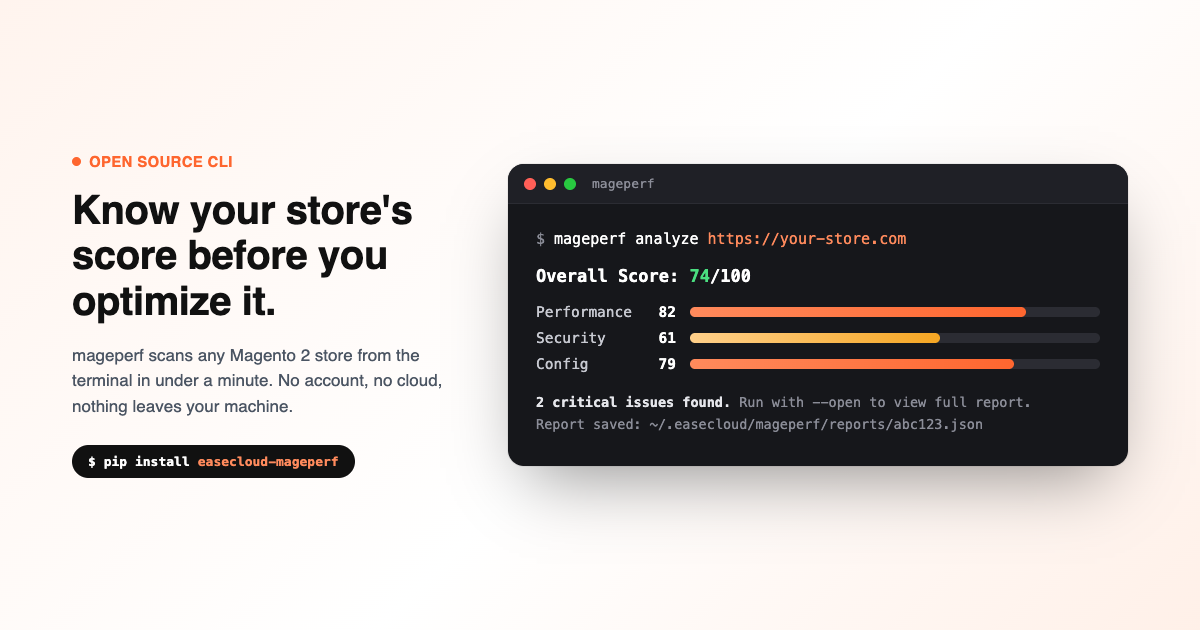
mageperf analyze https://your-store.comThat returns an overall score out of 100, broken down by performance, security, and configuration, along with a list of specific findings. Add --open to view the full report in a local browser UI, or --format json to pipe the results into a script.
Tracking Improvement Over Time
Every analysis is saved locally as JSON. After making changes, compare the new report against the earlier one:
mageperf compare <before-id> <after-id>That prints a score delta by category and a list of what got resolved, so you can confirm a change actually helped before you ship it.
What To Do With the Results
A score is a starting point, not a fix. If mageperf turns up a MySQL search engine on a large catalog, missing full-page caching, or a stack of unused extensions still loaded, those are exactly the kinds of findings we deal with in Adobe Commerce (Magento 2) performance optimization. Run it against your store first. If the list of findings is more than you want to take on yourself, that's what we're here for.